Who Heureka is for#
Heureka is a price comparison site — users search for a product, Heureka shows them the e-shops that sell it. For an e-shop it is a source of both paid and organic traffic.
How to connect#
Heureka doesn't use OAuth. In the Heureka administration you generate an API key for Conversion Measurement API and paste it into Margly.
Log in to the Heureka administration
For CZ: sluzby.heureka.cz For SK: sluzby.heureka.sk
Log in with the account that has access to your Heureka eshop.
Generate API key
In the left menu expand Statistics and reports and click Conversion measurement API. On the right the "Conversion measurement API" page opens with the section 1. Get API key — generate or copy the key from the field Your API key.
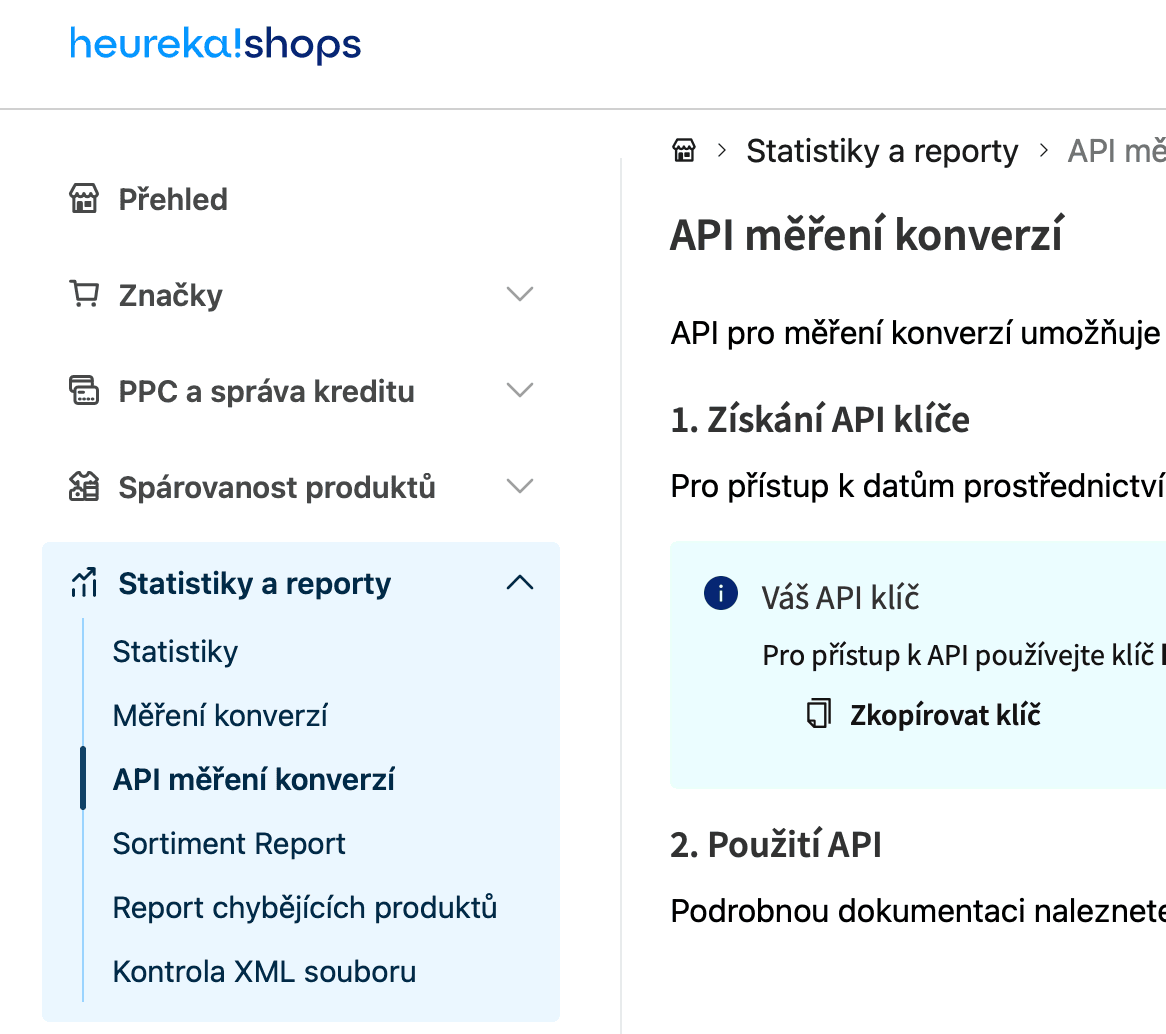
Heureka administration: in the left menu expand Statistics and reports and click Conversion measurement API. Copy the key with the Copy key button. If you don't see the Conversion measurement API section in the Heureka administration, contact Heureka support — some older contracts have API access turned off and it needs to be enabled.
Paste the key into Margly
In Margly open Integrations → Heureka. The card has two separate sections — Heureka CZ and Heureka SK. In the section corresponding to your market paste the API key and click Connect Heureka CZ (or Connect Heureka SK). Margly tests the key immediately against the Heureka API.
If you have an e-shop for both markets, go back to the other market in the Heureka administration, generate a separate API key there, and paste it into the other section in Margly in the same way.
Margly pulls historical data
After verifying the key, Margly starts pulling historical conversion data. Margly tries to pull up to 2 years back (Heureka limits the history itself, so the real history is often shorter). The pull runs day by day and for two years of history takes on the order of several minutes to dozens of minutes depending on the e-shop size.
Then data is automatically updated according to your tier (Starter 1×/day, Professional 2×/day, Business / Enterprise / Trial 4×/day).
What Margly actually loads from Heureka#
Margly calls exclusively the Heureka Conversion Measurement API (/v1/reports/conversions). From it, it gets daily conversion data divided into two levels of detail:
Daily summary (one row per day × country)#
Visits, spend, orders, and revenue — with an important breakdown into paid and organic positions:
| Metric | What it means |
|---|---|
| Total visits | All clicks from Heureka to your e-shop |
| Paid visits (bidded) | Clicks from positions where you bid (= you pay Heureka for them) |
| Organic visits (free) | Clicks from free positions |
| Visits without offer (not bidded) | Clicks from positions where there was no bid |
| Spend | Your cost on Heureka — Heureka API returns both variants (incl. and excl. VAT), Margly stores both. Only paid positions are billed; you don't pay for organic (free) clicks. |
| Orders | Same breakdown (total / paid / organic / no offer) — how many orders came from which position |
| Revenue | Same breakdown — value of orders from which position |
Per-product detail (one row per product × day × country × click source)#
The same metrics, but broken down to the level of an individual product in the Heureka catalog — ID and product name from your e-shop, Heureka portal category ID, click source (e.g., search), and a flag whether it was a paid position.
Currency and VAT#
- Heureka CZ returns data in CZK, Heureka SK in EUR
- If your e-shop has a different base currency, Margly converts spend and revenue using the ECB rate to your e-shop currency (it stores both the original value and the conversion)
- You don't need to deal with VAT — the Heureka API returns both variants (incl. and excl. VAT) directly, Margly stores both and displays in the dashboard according to your choice in Billing → Show prices with VAT
Common errors#
- "API key not verified / 401" — the key was deleted or overwritten in the Heureka administration. Generate a new one and paste into Margly again.
- "This Heureka API key is already used by another account in Margly" — the same key can't be assigned to two Margly accounts. First disconnect it from the old one.
- "Heureka is available only for e-shops in CZ and SK" — you have a different business country set in Margly than CZ or SK. The Heureka connection supports only these two countries.
- "Heureka returns no data" — the connection went through, but the API returns empty responses. Either you don't have active conversion measurement in the Heureka administration, or the API key belongs to another e-shop / to the other market (an SK key deployed in the Heureka CZ section or vice versa).
What's next#
- Connecting Sklik — the other main Czech ad platform (via API token)
- AI Advisor — compares profitability of paid positions on Heureka with other ad channels